# Arbitrum <-> Polygon Bridge

Our native bridge built on LayerZero, facilitates bridging GNS tokens and NFTs between Arbitrum and Polygon: <https://www.gains.trade/bridge>.

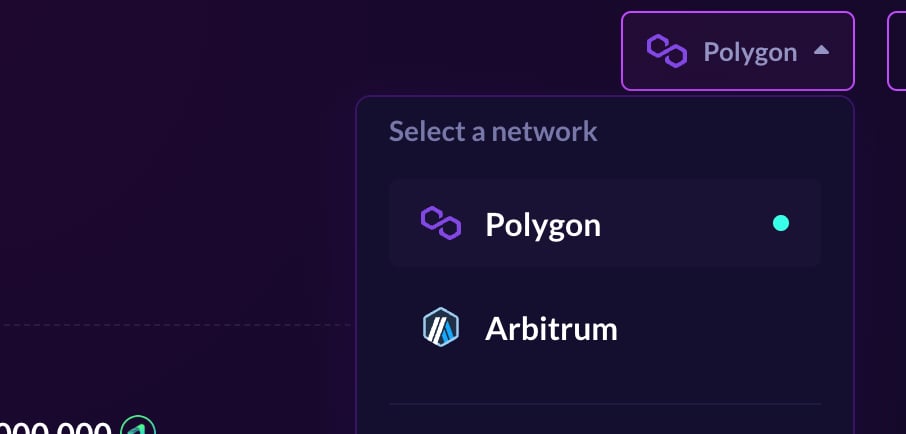
1. To bridge, select the network from which you want to bridge in the upper right corner. In the example below we are bridging from Polygon to Arbitrum, but the steps are the same regardless from which network you're bridging.&#x20;

<figure><img src="/files/2q5Fno9f4cTGioaNkUFu" alt=""><figcaption></figcaption></figure>

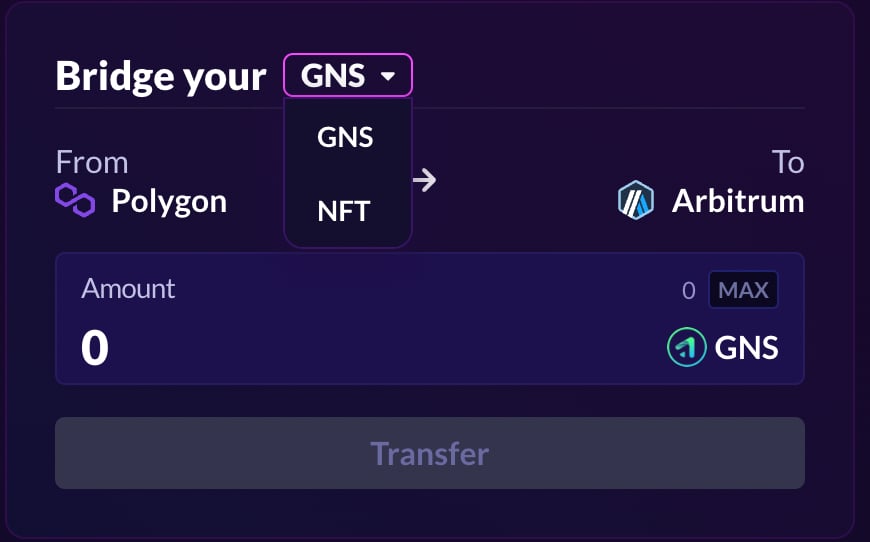
2. Select whether you want to bridge $GNS or an NFT from the dropdown menu, enter the amount, click approve, and then click transfer.

<figure><img src="/files/unYDGROqnyrfCqsAK5Zd" alt=""><figcaption></figcaption></figure>

3. Bridging usually takes between 20-40 minutes depending on network congestion. There is a global limit of how much can be bridged per epoch (1 epoch is 6 hours) which is 1,000,000 for $GNS and 50 for NFTs. You can see the current state of this limit above the panel.


---

# Agent Instructions: Querying This Documentation

If you need additional information that is not directly available in this page, you can query the documentation dynamically by asking a question.

Perform an HTTP GET request on the current page URL with the `ask` query parameter:

```
GET https://docs.gains.trade/bridges/arbitrum-less-than-greater-than-polygon-bridge.md?ask=<question>
```

The question should be specific, self-contained, and written in natural language.
The response will contain a direct answer to the question and relevant excerpts and sources from the documentation.

Use this mechanism when the answer is not explicitly present in the current page, you need clarification or additional context, or you want to retrieve related documentation sections.