
How to read an entry
- Added: something you can do now that you could not before.
- Changed: something that works differently, such as a limit, a fee, a default or a screen.
- Fixed: something that was wrong and now works.
- Operations and Risk: rare notes on a rollout or a known limitation.
Day-to-day releases
2026-10-26 - More room on five 500x markets, the right figures at 500x, Deposit opens on any network
Added: Use Bonus first, a new setting on gains.trade for Bonus holders, funds a market order with USDC on Arbitrum from your Bonus first, then from your wallet, in one position. It starts on. When the position closes, claim it from the Bonus tab: your share of the payout, profit included, goes to your wallet and the rest back to your Bonus. Limit and stop orders, counter trades and trades above 500x use your wallet only. Added: On the Bridge page of gains.trade, under More, you can now choose the network you send from in From, which switches your wallet to it, and the arrow between From and To swaps the two. The Epoch Transfer Limit now also shows a GNS transfer you sent from this browser while it is on its way, next to the count, as in 7 + 4 in flight. The limit itself counts a transfer when it arrives, so one above the destination’s limit for the epoch may still have to be claimed after a wait period. Changed: With USDC on Arbitrum, SOLDEGEN/USD, XRPDEGEN/USD, BNBDEGEN/USD, HYPEDEGEN/USD and DOGEDEGEN/USD now take up to 1,000,000 USDC of open interest per side each, up from the 500,000 last announced here. BTCDEGEN/USD and ETHDEGEN/USD stay at 3,000,000, and together the 500x degen markets still take at most 4,000,000 USDC per side. Changed: On gains.trade, at 500x on a market such as BTC/USD, your trade opens on its degen market, BTCDEGEN/USD, and the price, open interest, skew, holding fee, order book and Funding or Borrowing chart now show BTCDEGEN/USD too. The name at the top still reads BTC/USD. Your degen positions and orders also show on the BTC/USD chart. With Pairs under View set to the market instead of All, Positions and Orders now list BTC/USD and BTCDEGEN/USD together, so Close all in Positions closes the positions of both. Setting 500x by hand no longer moves the chart to the one second timeframe: it moves when you open a degen market itself, from the market list, your favorites, its link or one of your positions, on a market with one second history, and goes back to your timeframe when you leave 500x. Fees and Spread lists the degen markets and their fees. Fixed: On gains.trade, with Your wallet on a network Gains Trade does not trade on, such as Ethereum, BNB Chain or Optimism, Deposit in the top bar and Buy Crypto in your account menu now open, so you can bring your funds over from there. Both used to be greyed out with Unsupported network. The Wrap screen in that window now asks you to switch to the network you trade on before you wrap. Fixed: On the Bridge page, each GNS or NFT transfer in your Transactions list now shows its status, the amount and both networks, with a link to follow it, instead of a Please wait message that never changed. Until the bridge reports a status, it reads Waiting for bridge status, with the minutes elapsed once a minute has passed, then INFLIGHT, DELIVERED or FAILED.2026-10-22 - For integrators: hourly holding rates in their real unit
Fixed: The Market data guide of the trading API now gives the hourly funding and borrowing rates in their real unit, a fraction of position size per hour, where it used to say percent: 0.00001 is 0.001% an hour. The Get Holding Rates reference now describes each field of its response, in the same unit, except the legacy borrowing rates, which are in percent.2026-10-20 - The trading panel opens on 5x, leverage that fits the market you switch to, part of the 13 October update on sol.gains.trade
Added: sol.gains.trade received this update the same evening, so everything below applies there too. It also received part of the 13 October release: the Unrealized PnL row on your portfolio dashboard; Only Selected Position Lines, a chart setting that starts off; Est. Execution Price, Price impact, Positive Price Impact and Max Slippage shown once instead of twice in the trading panel; a starred market that is no longer tradeable kept in the market list, marked Disabled, so you can remove its star; and a positions table that slows the page down much less with dozens of open positions. Changed: The trading panel now opens on 5x leverage instead of the market’s minimum, which was 1.1x on crypto, stocks and indices and 2x on commodities. A market whose range does not include 5x opens on the nearest leverage it allows: forex still opens on 10x, a degen market on 500x, and a market capped below 5x on its cap. When you switch to a market whose max leverage is below yours, your leverage now drops to that max instead of leaving the panel on Wrong leverage. Otherwise your leverage carries over to the next market and only moves to stay inside its range, so check it before you trade: after a market capped at 2x it stays at 2x, and after a forex market, where the minimum is 10x, it stays at 10x. Fixed: With Gains open in more than one tab and the 2 Charts or 4 Charts layout, the chart now shows the market you pick, with your position, take profit and stop loss lines on it. It could stay on another market before.2026-10-15 - A guide to how your orders execute
Added: A new guide, How Orders Execute, explains what happens between your click and your fill: where the price comes from, what to do when a market order times out, such as claiming your collateral before you place an open again, at what price a stop loss or take profit executes, and how your max closing slippage decides whether one goes through.2026-10-13 - On gains.trade: deposits to the network you trade on, unrealized PnL on your dashboard, a notice when funds arrive
Added: Your portfolio dashboard shows the unrealized PnL of your open positions, in an Unrealized PnL row under PnL. It is the same figure as Unrealized PnL under Total Equity in the trading panel, and it follows your PnL Display setting. Added: When funds reach your wallet while the app is open, a Funds received notice shows the token and the amount, and on Arbitrum your balances now refresh every 3 seconds instead of every 10. Money coming back from your own trades, vaults or staking is not announced. Added: Only Selected Position Lines, a new chart setting, draws the lines of only the position you last clicked in your positions list: its entry, take profit, stop loss and liquidation lines, and its chart buttons. It starts off: turn it on in the settings menu of your positions table, or under Chart in settings. Your pending orders keep their lines, and on another pair the chart shows all your positions again. Changed: With Your wallet, Deposit now sends your USDC to the network you have selected, Arbitrum, Polygon or Base, instead of always to Arbitrum, and it can pay from your balance on Ethereum, BNB Chain or Optimism, where the quote used to fail. After you pay from another chain, your wallet is asked to switch back to the network it was on. With an Instant wallet, deposits still arrive on Arbitrum. Fixed: With One-Click Trading, when your 1-Click wallet cannot pay the gas for another trade, the trading panel says Add gas to 1-Click wallet and its button becomes Add gas, which opens One-Click Trading to top it up. A trade refused for lack of gas says how much to add, and the warning shown when only a few trades are left reads Low Gas. On Polygon, the trade count now accounts for the gas the network sets aside for each trade, so it reads lower than before. Fixed: The APR and TVL on the vaults, staking and GNS pages now follow the current GNS price and vault balances, refreshed every minute. Fixed: On the trading page, the panel shows Est. Execution Price, Price impact, Positive Price Impact and Max Slippage once instead of twice, and Details now appears only with the Detailed PnL display. A market you starred that is no longer tradeable stays in the market list, marked Disabled, so you can remove its star, and with dozens of open positions the positions table slows the page down much less.2026-10-06 - Take profit and stop loss sliders, liquidation prices that match the chain, a page that reconnects by itself
Added: Set your take profit and stop loss with a slider, in percent, in the Stop Loss / Take Profit section of the trading panel and in Edit SL/TP for an open position. The take profit slider goes up to 900%, and the stop loss slider ends at MAX, the furthest stop allowed. On an open position, neither slider offers a level the price has already passed. Added: Your positions table strikes through a stop loss that the liquidation price has already passed, because the position would be liquidated before it is stopped out: tap it to move the stop. When you set a stop loss on a market order or an open position, you are also warned if the holding fees will bring the liquidation price to it within a day. Added: sol.gains.trade received this release the same evening. All of it applies there, except the Edit Position Size fix, which concerned WETH and GNS collateral. Changed: Positions and orders on the chart are drawn as dashed lines, with their label and size in boxes. A position’s line shows its PnL from the price move, before fees, and its size in the token, and turns green or red with the PnL; it used to show a PnL after fees. Changed: Picking a 500x degen market such as BTCDEGEN/USD in the market list or your favorites now opens its main market, BTC/USD, with 500x already selected, as search already did. At 500x, the trade still opens on BTCDEGEN/USD. Changed: Your trade history shows LONG or SHORT next to the leverage, and the leverage is rounded to one decimal. Changed: Your referral link now opens the trading page. When someone arrives through it and connects a wallet that has never traded on Gains and has no referrer yet, a banner offers to apply your code before their first trade, with one free signature and no transaction. Fixed: The liquidation price in your positions table, on the chart, in the trading panel and on Trader stats now matches the price your position is actually liquidated at. On pairs with a spread, such as BTC, ETH and the forex majors, it used to be shown slightly closer to your entry than the real level. Fixed: After your computer sleeps or your connection drops, the trading page reconnects and catches up by itself: prices move again, the chart fills the gap with real candles, and a position closed in the meantime moves to your history. When the connection died without the browser noticing, this can take a few minutes; if prices still do not move, reload the page. Fixed: Opening a trade works at every leverage you can type. A few values, such as 16.1x, 32.2x, 64.1x and 128.2x, used to fail before your wallet was asked to sign. Fixed: Charts of markets that close, such as gold, forex and stocks, load while the market is closed and show the last sessions instead of a blank chart. Fixed: In Edit Collateral, the Deposit and Withdraw button shows the amount that will move, and it never moves more than you typed. Collateral moves in small steps, so the amount can be slightly below what you typed, and a note says why; under one step, you are shown the minimum instead. Fixed: In Edit Position Size, the size you type on Increase stays as typed when you change the leverage afterwards; on positions with WETH or GNS collateral it used to jump or shrink. Fixed: Close all only closes the positions listed for the account you are connected with: right after you switch accounts in your wallet, it skips positions still shown from the previous account, which could otherwise close other positions of the new one. Fixed: On the Trader stats page, the PnL chart shows the right amount when you hover it, whatever your browser language. Fixed: On sol.gains.trade, Finish account setup now also finds USDC waiting for your account after a first deposit whose setup never finished, and completes the setup with it in one click: no new deposit and no ETH needed.2026-10-05 - Positions update without the wait
Fixed: Your positions update on screen right after a trade confirms: a fill, a close, a partial close, or a change of size, leverage, stop loss or take profit. About one update in five used to wait up to 12 seconds to appear.2026-10-01 - On Solana: trade from the chart, claim a stuck withdrawal, a clear message when fees run short
Added: sol.gains.trade gets the chart features gains.trade received in September. You can trade from the chart: drag a handle to set a take profit or a stop loss and confirm the price, close or protect a position from its line, cancel a limit order or drag it to a new price, and see the liquidation price while you set a trade up. Drag to set TP/SL and Chart Position Buttons start off: turn them on in the settings menu of your positions table. Added: Weekly and monthly candles on the chart, and the chart moves to the one second timeframe by itself when the trading panel reaches 500x on a pair that has one second history; forex does not switch yet. On a wide screen, Custom panel layout in settings turns the pair selector, the chart, the virtual order book, your positions and the trading panel into panels you drag and resize, and the order book and recent trades can share one panel. Changed: The breakeven price on open positions is a setting, Display Breakeven Price, in the settings menu of your positions table, and it starts off. It used to show on every row and in the card view with no way to hide it. Fixed: A withdrawal to your Solana wallet that was never claimed can now be finished. Open Withdraw: it checks for unfinished withdrawals from about the last 24 hours and lists each one with a Claim button for its amount. Fixed: When a transaction cannot go through because your account is short of the USDC that pays its network fee, the error now says so instead of a generic Transaction error. Fixed: A trade you just opened shows under Portfolio, then History, straight away, and a take profit or stop loss line dragged on the chart snaps back when the update does not go through.2026-09-30 - Open interest caps on the 500x degen markets
Changed: With USDC on Arbitrum, BTCDEGEN/USD and ETHDEGEN/USD take up to 3,000,000 USDC of open interest per side since 25 September, up from the 150,000 and 50,000 last announced here. SOLDEGEN/USD, XRPDEGEN/USD, BNBDEGEN/USD, HYPEDEGEN/USD and DOGEDEGEN/USD take up to 500,000 per side since 30 September, up from the 50,000 last announced. Together the 500x degen markets take at most 4,000,000 USDC per side.2026-09-28 - Trading paused on MegaETH, more room on BTC, ETH and ZEC
Changed: Trading on MegaETH is paused for now: since 28 September, no MegaETH market takes a new position. If you hold a position there, you can still close it. Changed: With USDC on Arbitrum, BTC/USD now takes up to 35,000,000 USDC of open interest per side, up from 20,000,000, ETH/USD up to 30,000,000, up from 17,000,000, and ZEC/USD up to 10,000,000, up from 4,000,000. The caps rose in steps from 24 September: ETH reached its new cap on 26 September, BTC on 27 September and ZEC on 28 September. BTC and ETH were running close to their old limits, so there is room again for large positions on either side.2026-09-21 - Your session survives a refresh, One-Click Trading returns, candles restored
Added: One-Click Trading is back when you log in with Your wallet. A PIN builds a trading key that stays in your browser, so an order goes out without a wallet confirmation each time. With an Instant wallet you already trade this way, with nothing to turn on. A Safe is not eligible. Added: The chart moves to the one second timeframe by itself when the trading panel reaches 500x on a pair that has one second history. Forex does not switch yet. Come back down and it returns to the timeframe it replaced, unless you picked another one in the meantime. Added: On a trader’s profile page, a counter trade among their open positions is now marked, as their closed positions already were. Changed: The vaults page leads with gUSDC and moves gDAI to the end. Fixed: The 10m, 45m and 3h candles are on the chart again. The chart rework of 16 September dropped them. Fixed: Reloading the page keeps you logged in. Browser wallets such as MetaMask, Rabby, Phantom and the Coinbase extension, and the in-app browsers built on them, were disconnected on every refresh and had to be connected again. Fixed: A trade that fails now tells you why. A whole class of failure produced no message at all, so an order your wallet could not pay the gas for simply appeared not to happen. Fixed: A trade you just opened appears under Portfolio, then History, straight away. It used to be missing there for up to a minute, which reads as an order that never went through. Fixed: If your browser is not in English, the landing page now animates in once. It used to render, go black, then animate in a second time.2026-09-16 - Trade from the chart, a layout you build yourself, Rabby on mobile
Added: You can trade from the chart. Drag a handle to set a take profit or a stop loss on a position that has none, and confirm the price before it goes out. Close and Protect buttons sit on the position line. A limit order can be cancelled from its own line or dragged to a new price, and its trigger price can be edited in the orders table. While you set a trade up, the liquidation price is drawn on the chart before you commit. Drag to set TP/SL and Chart Position Buttons start off: turn them on in the settings menu of your positions table. Added: Weekly and monthly candles on the chart, next to the daily one. Added: Custom panel layout, a switch in settings on a wide screen. The pair selector, the chart, the virtual order book, your positions and the trading panel each become a panel you drag and resize, and Reset, above the panels, puts them back. Added: The virtual order book and recent trades can be shown together, stacked in the same panel, instead of one or the other. Changed: The breakeven price on open positions is a setting, Display Breakeven Price, in the settings menu of your positions table, and it starts off. It used to show on every row and in the card view with no way to hide it. Changed: The app now uses the Gains name on the landing page, the GNS pages, onboarding, settings, the banners and the tooltips. Fixed: A take profit or stop loss line dragged on the chart snaps back when the update does not go through, instead of showing a level that was never set. Fixed: Rabby appears in the wallet list on a phone, and opens the Rabby app. It was only ever offered to browsers with the extension installed, so it was missing on mobile entirely.2026-09-15 - A TypeScript client for the trading API
Added: A TypeScript client for the trading API, published as@gainstrade/api. It signs your requests with an agent key, prepares, signs and broadcasts an order in one call, follows an order until it fills, pages through your fill history and reconnects its websocket by itself.
2026-09-12 - Sign in without a wallet, the Modern trade panel, 1 second charts
Added: You no longer need a crypto wallet to trade on Gains. Login opens on two choices, side by side. Instant wallet signs you in with Google, with a six digit email code, or with a wallet you already hold, and creates the trading account for you: you sign once to log in, and Gains covers your gas. Your wallet is the route you already know, where you sign and pay gas on every transaction. Added: The Modern trade panel, a second layout you can turn on in settings. It is closer to what you already know from other perp exchanges: leverage is a pill above Long and Short with its own picker, and size is a 0 to 100% slider. Increasing a position and closing one get the same slider, and the top of it is your real maximum rather than an estimate. A comma works as a decimal separator. New accounts start on the Modern panel; if you already trade on Gains you keep the classic one until you switch. Added: A 1 second timeframe on every chart. It starts drawing from the live price the moment the chart opens, and on the pairs the pricing service keeps a buffer for, the last few minutes are already there when it loads. Added: Every open position shows a breakeven price next to the open price, in the table and in the card view. It is the price your trade has to reach for net PnL to hit zero once holding fees and the closing fee are counted, so you can see what a position needs to do before it starts paying. Added: Trade history now covers orders, not just fills. Limit orders you place, cancel or modify each get their own row. A limit order you set and then cancelled used to leave no trace at all. Added: Editing stop loss and take profit together costs one wallet confirmation instead of two, and changing only max slippage no longer re-sends the rest. Edit Position Size shows your unrealized PnL while you work. Added: The Gains mobile app is on the way and the waitlist is open. Leave your Telegram handle at gains.trade/mobile-app, join the group with that handle, and your place is locked in. The page shows how many traders are already in line, and places go first come, first served. Changed: Standard PnL mode reports your PnL the way other perp venues report it, and the positions view is built around it. The fee on an increase is stated up front, the PnL tooltip agrees with the figure beside it, and the close screen shows what actually settles into your account. It is the default on new accounts and a setting for everyone else. Changed: Counter Trade is a switch in settings, with a short note on what it changes, instead of sitting behind a layout picker. Show all holding fees is available to everyone. Changed: Prices below a cent are written with a subscript, so a long run of zeros reads at a glance. Fixed: Your stop loss is checked against the same price the contract checks. A stop the panel accepted and the chain then refused, cancelling the order outright, can no longer get through, and the SL and TP presets submit exactly the prices shown to you. Fixed: Stop loss and take profit figures stay correct when you change leverage, and the SL and TP lines on the chart follow the trade as soon as it is confirmed. Fixed: Trade history reads properly from end to end, in every language. Every action carries a real label, an action the app does not recognise no longer looks like a loss, and neither the details window nor the CSV export fills in values it does not have. Fixed: The chart stays on the pair you selected, the pair list keeps showing a current price when one feed goes quiet, and a single trade no longer raises two notifications. Fixed: Coming back from a dropped connection puts you on live numbers again. Open positions are read again and the day’s history is refetched, so you are never acting on a screen from before you lost signal. Fixed: Picking a wallet at login opens that wallet. Choosing Rabby could open MetaMask, because a wallet you had not installed fell back to whatever extension was present; a wallet you do not have now sends you to its own download page instead. MetaMask and Phantom no longer appear twice in the list, wallet icons render instead of empty squares, and the WalletConnect QR code opens in front of the login window rather than behind it. Fixed: On mobile, the Share PnL buttons stay on screen instead of running past the edge. Fixed: A bridge that fails now says so instead of going quiet.2026-09-11 - Charts that match the exchanges
Fixed: Charts line up with TradingView and the major exchanges on every timeframe. The 3m, 10m, 15m, 30m, 45m, 2h, 3h and 4h candles open on the standard UTC boundaries, so a candle shows the same open, high, low and close here as it does anywhere else. Fixed: Trade history records every trade, including trades that settle together in one transaction, such as scaling several positions at once.2026-09-02 - Trader profile PnL chart
Fixed: The PnL chart on a trader’s profile plots trades in the order they happened, so the line and the running total read the way the account actually traded.2026-08-31 - Sharper trade markers on the chart
Changed: Trade markers sit on the exact candle each fill belongs to, at every zoom level. A candle with several fills shows a single marker, and its tooltip lists every fill behind it.2026-08-29 - More room on PONS
Changed: PONS/USD (pair 488) now has room for $150,000 of open interest. The pair had been trading close to its cap, so there is considerably more size available.2026-08-27 - SmartTrader accounts stuck before setup
Fixed: On sol.gains.trade, an account that received USDC before its trading contract existed can now be repaired in one step from the app, unlocking a balance that previously had no way back.2026-08-26 - Your trades on the chart, deposit address screen and panel fixes
Added: Your trades can now be shown on the price chart. Turn on Chart Trade History in settings and every open and close on the current pair appears as an arrow on its candle, green for buys and red for sells, with the price in the tooltip. Clicking an arrow opens the History tab on that trade. Changed: Deposit now opens a screen showing the address your account trades from, with a copy button, an explorer link and live balances, so funds held anywhere else can be moved in directly. Fixed: Every token balance is read on the chain it belongs to, so each row on the funding screen shows its own figure. Over Base, the WETH and ETH rows could previously report the same number. Fixed: On a degen pair, the holding rate row and the isolated-position notice describe the pair the trade actually opens on, so the panel agrees with itself at the 500x stop.2026-08-25 - Trade history colours and Solana edit modals
Fixed: In trade history, the Type column is coloured by what an event does to the position rather than by its direction. Every row of a long used to be green, so a partial close, or an update that withdrew collateral, read as a gain at a glance. Opens, limit fills, partial adds and collateral top-ups are green; closes, TP, SL, liquidations, partial closes, collateral withdrawals and PnL withdrawals are red, matching the arrow already shown beside the collateral. Fixed: On sol.gains.trade, Edit Position Size and Edit Collateral show the real USDC balance of your account, matching the trading panel beside them.2026-08-22 - Sign-out crash and referral fixes
Fixed: Signing out no longer takes the whole app down. Disconnecting could leave the app for a moment without a network it recognised, which failed during the re-render and dropped every page to the “Sorry, we’ve run into an issue” screen instead of simply clearing the wallet. Fixed: The referrals dashboard reflects a claim as soon as it confirms. Improved data flow for the Claimed, Ready to claim and Total unclaimed figures. Fixed: The referrals page shows a referrer their own rate. Anyone on a rate other than the standard one saw the standard one instead, on the header line and on the Your Rate card, while their trades accrued at the rate actually agreed.2026-08-21 - BTCDEGEN at $150k, balance flicker, listed-assets guide
Added: A new integrator guide, Listing all assets, covers how to get the full list of markets. There is no dedicated endpoint for it: the list comes from the trading-variables payload, which is append-only and keeps delisted assets, a pair index is the array position rather than a field, and the precisions in it are mixed. The guide gives the rule that separates tradeable from delisted, with worked examples, and is linked from the guides index, the Backend page and the keyed trading-variables endpoint. Changed: BTCDEGEN goes back up to $150,000 of open interest on the Arbitrum USDC reference, with the other chains and collaterals scaling from it as usual. Every other degen pair stays at $50,000. Fixed: Wallet balances on sol.gains.trade no longer flicker between the real figure and a near-zero one every few seconds.2026-08-20 - Referrals page rework, leaderboard, wallet and load fixes
Added: The Collateral row in the trade panel reads “current then after”, so a pending order shows what it adds to what you already have on that pair. It appears in all three input modes, sums the open positions matching the order’s direction, counter-trade flag and collateral, and carries a tooltip explaining the two numbers. Positions stay isolated: the row reports the total committed to the pair, it does not merge anything. Fixed: Creating a referral code works. Roughly one attempt in five was failing: the button did nothing on mobile, desktop showed “Referral service unavailable” on every click until the page was reloaded, and a device clock more than a few minutes out could never produce a request the service would accept. Requests are now stamped on server time, in-app wallet browsers are accepted, and every failure says what went wrong instead of leaving a dead button. Changed: The referrals page is reworked around the link. The code field shows the link it becomes as you type, the finished link is a single object rather than a code stacked on top of a URL repeating it, and Copy now says whether it worked instead of staying silent when the browser refuses. Share link sits at the right of the header again. Referred volume replaces “Coming soon” on the card and in the wallets table. The Tiers & Cashback panel is gone; it was empty for everyone. Changed: A referrer is attached only through a referral link. The free-form field that let any account type in any code has been removed. The code now comes from the?ref= you arrived on, or from one an earlier link left behind, and is shown rather than typed. The panel disappears entirely when no link is behind the visit.
Changed: The leaderboard opens on 24h and remembers the period you picked, instead of resetting every visit; a shared or bookmarked link still wins over the remembered one. Rows are real links, so cmd-click, middle-click and “open in new tab” work. The back arrow on a trader’s page returns to the leaderboard you came from, and says so, instead of always dropping you on the trader search. Columns keep their width when the numbers change, and a period with no trades says so rather than loading forever. The Classic/Rewards sub-nav is gone. Leaderboard is a single entry, and the rewards board is still reachable from the portfolio rewards page.
Fixed: The “New” tag and the New tab in the pair selector follow listing order at runtime instead of a list baked into each build. Newly listed pairs, PONS and NIULAI among them, were tradeable and searchable but went untagged until the next frontend release, while pairs listed months earlier were still marked new.
Fixed: Deposits and bridges that start on a chain other than Arbitrum work from an embedded wallet. The account sits at the same address on every chain, but the app could only talk to it on Arbitrum, so any funding flow that needed a chain switch failed with “Unable to switch networks” and funds already held on another chain could not be reached from anywhere in the app.
Fixed: The app no longer rebuilds itself about 30 seconds into every session. The trading grid, the chart, the navbar and everything below them were being torn down and remounted, which people reported as the page reloading on its own. The chart also loads from its own lightweight page now, roughly 3 MB less over the wire each time it mounts.
Fixed: The “Browser Wallet” entry in the connect modal is hidden where there is no wallet behind it. On mobile Safari and Chrome it was always listed and tapping it did nothing; the MetaMask, Coinbase, Rainbow and WalletConnect entries are the paths that work there and are unchanged. In-app wallet browsers and desktop extensions still show it.
2026-08-19 - Degen pairs capped at $50k open interest
Changed: Every 500x degen pair now caps at $50,000 of open interest, measured on the Arbitrum USDC reference, with the other chains and collaterals scaling down from it as they always have. This covers BTCDEGEN, ETHDEGEN, SOLDEGEN, XRPDEGEN, BNBDEGEN, HYPEDEGEN, ZECDEGEN, DOGEDEGEN and LINKDEGEN. Open positions are untouched, but once a pair is at its cap, new size is refused until open interest comes down. DEGEN/USD (pair 252) is an ordinary market and is not affected.2026-08-18 - Referral codes work from embedded wallets
Fixed: Registering a referral code, or being bound to someone else’s, now works from an embedded wallet. Those wallets sign differently from a browser wallet and the referral service rejected the signature outright, so the request failed before anything was recorded. Regular wallets were never affected.2026-08-17 - Legacy referral claims, ambassador program removed
Added: Unclaimed GNS from the old referral program can be claimed on/referrals until 17 October 2026 (UTC). A wallet holding a pending balance (as a referrer, as an ally, or both) gets a claim panel at the top of the page showing the amount and the days left, and the panel goes away once the balance is claimed. Wallets with nothing pending never see it.
Changed: The old referral program is retired everywhere else. ?by= and /referred links no longer attach a referrer and now land on the trading page, PnL share cards link to gains.trade rather than to the sharer’s old referral link, and the ambassador program and its page have been removed. Codes created in the current referral system are unaffected.
Fixed: Referral rewards accrue on production trades again.
Fixed: The weekly Whale Watch leaderboard on X (@GainsTradeBot) is posted once a week again. A restart inside the Monday publishing window could not tell that the week’s post had already gone out, and posted it a second and third time.
2026-08-16 - PONS and NIULAI listed
Added: PONS/USD (pair 488, Robinhood Chain) and NIULAI/USD (pair 489, BNB Smart Chain) are live, each with on-chain depth and a token logo.2026-08-15 - Inline editing for open orders
Added: The Orders tab now supports cell-level editing, matching Positions. Trigger price, Max spread, and SL/TP carry the pen affordance in the column header and on row hover, and clicking one opens the order details modal directly in update mode. Fixed: The Degen filter in the pair selector is derived from the on-chain pair group instead of a hardcoded list, so a newly listed degen pair shows up straight away. LINKDEGEN/USD was tradeable but missing from the filter and could only be found by name search.2026-08-14 - Wallet balances in the header, slimmer trade panels, burn page fixes
Added: Wallet balances are now visible from anywhere. ETH, wETH, USDC, and GNS appear as compact chips in the navbar on desktop, and as a Balances tab alongside positions and orders on mobile. Assets with a zero balance are hidden, and the duplicate balance list has been removed from the trading panel footer. Added: Degen pairs are unified with their parents in the trading panel. Pairs with a synthetic DEGEN counterpart (BTC, ETH, SOL, XRP, BNB, HYPE, ZEC) expose the counterpart’s 500x as one extra stop above their own maximum leverage, and everything trade-related switches to the counterpart at that stop. Picking a degen pair from search now anchors the panel on its parent with 500x preselected, so the full leverage range stays editable. Changed: Price impact now follows the ”+ is favorable” convention across the trading panel, trade confirmation, and update position. A positive, green value means the skew works in your favor, a negative one is a cost. The Est. Execution Price tooltip also makes clear that price impact is already contained in the price shown and that fees are separate. Changed: The enter and close trade panels have been slimmed to essentials. Read-only detail rows (execution price, spread, slippage, fees, holding rate) moved into a collapsed Details section, and the close panel keeps only Net PnL, Liq. Price, and Receive visible. The Lifetime Value section was removed; that data is in trade history. Changed: Open positions show the leverage the position was opened at instead of effective leverage, which drifted on every price tick and as fees accrued. A 10x position read10.004x and kept moving. Liquidation price is unaffected, and the Update Size and Update Collateral modals still use effective leverage to enforce the max-leverage guard.
Fixed: The burn and supply charts are updating again after being frozen since 2026-07-27. GNS supply is now read on-chain across all chains instead of via Etherscan, which had moved Base to paid plans and was failing the all-or-nothing validation for every chain at once.
Fixed: The burn chart no longer cuts off the cumulative line. Part of it was drawn below the visible area, where it could not be seen or hovered.
Fixed: Today’s burn on the GNS page no longer renders as +-7,797 on days where mints exceed burns. Negative values now show a single minus sign.
Fixed: Commodity charts render on Fridays for viewers at UTC+3:30 and east. Friday was missing from the declared session, so the chart silently discarded every bar and XAU, XAG, WTI, NATGAS and the rest showed empty for the whole local day while prices kept updating everywhere else.
Fixed: The pair selector keeps the category you were on (Crypto, Forex, and so on) when it is reopened, instead of resetting to the default tab every time it closes.
Fixed: Unstaking GNS at or near the full staked balance no longer reverts. The Max button rebuilt the amount from a rounded value that could land above the true balance; the exact on-chain amount is now carried through.
Fixed: The Submit button in the limit order details modal stays disabled when nothing has been edited. Max Spread was compared at the wrong precision, so the form always looked changed and a no-op update could be sent on-chain.
2026-08-13 - Position sync
Fixed: Leaving the trading page and coming back no longer brings back a position you just closed, or hides one you just opened.2026-08-10 - Solana withdrawal recipient fix
Fixed: Arbitrum to Solana withdrawals are sent to the recipient’s wallet rather than their USDC token account. The wrong value sent funds to an address with no signer, where they could not be recovered.2026-08-08 - CATE and MARS listed, EVM withdrawals fill
Added: CATE/USD (pair 486, Catecoin on Solana) and MARS/USD (pair 487, MarsCoin on BNB Smart Chain) are live, each with on-chain depth and a token logo. Fixed: Arbitrum to Solana withdrawals complete instead of coming back as a refund.2026-08-07 - Stuck Solana withdrawals
Fixed: Solana withdrawals no longer get stuck without arriving.2026-08-06 - Referral system and Telegram positions bot
Added: The self-serve referral system is live on Arbitrum. Anyone can register their own code, referees are bound to a referrer at their first trade and stay bound for life, VIP cashback tiers apply on top, and rewards settle daily in USDC. Added: The referral API is documented for integrators. You get a reference page per endpoint, full OpenAPI schemas, and a guide covering the three things that break an integration: a code must be applied before the referee’s first trade, the distributor and chain id must be read from/config rather than pinned, and a claim must be gated on the merkle proof rather than on a balance field.
Added: The read-only Telegram positions bot (@gainsreadbot) is surfaced across the app (footer, portfolio dashboard, the desktop and mobile More menus, and the notifications modal) and opens already pointed at your account when a wallet is connected.
Fixed: The Solana withdraw modal no longer fails with a generic fetch error. A balance read the flow depends on was missing from the RPC proxy allowlist, so the request was rejected before it reached the network. Deposits were unaffected.
2026-08-04 - Referral claims show what is actually claimable
Fixed: The referral claim button now only lights up on rewards that are genuinely claimable, instead of on everything earned and not yet paid. Clicking it used to fail on amounts the contract would refuse. Ready-to-claim and still-pending are shown separately, the two were renamed to say what they mean, and each payment received is recorded as its own row in history.2026-08-03 - gAPE vault page
Fixed:/vaults/gAPE resolves. ApeChain was missing from the prerendered vault routes, so the page had always returned a 404. On the ApeChain rescue frontend it is the only route that reaches that vault.
2026-08-02 - Mobile trade history timestamp overflow fix
Fixed: Timestamps with seconds no longer overflow the time column in trade history on mobile screens.2026-07-31 - Remove Get Funds popover, fix news leverage cap
Changed: Removed the announcement popover overlaying the Get Funds button. Fixed: News event leverage cap was failing to restore after the event window closed, allowing trades at higher leverage than intended. Now correctly resets when the window ends.2026-07-30 - MegaETH badge removed, testnet renamed to Demo Trading
Changed: Removed the “NEW” badge from MegaETH in the network dropdown. Renamed the testnet network label to “Demo Trading”.2026-07-28 - New pairs, holding fees in Regular layout, social preview fix
Added: Four new trading pairs launched with depth and spread routing: CASHCAT (pair 482), DOGEDEGEN (483), LINKDEGEN (484), and JPM (485). CASHCAT also has on-chain depth. Token logos added for CASHCAT and LINKDEGEN. Changed: Holding fees are now displayed in the Regular trading layout. Fixed: Corrected “markerts” typo in OG social preview image.2026-07-27 - Trade history labels and positions table readability
Changed: Trade history now tells market opens and closes apart. The Type column readsMARKET OPEN or MARKET CLOSE instead of a single MARKET for both, in the table and in the CSV export, and timestamps include seconds so fills within the same minute stay in order.
Changed: Unrealized PnL and holding fees on open positions are shown as dollar amounts ($0.92) for collateral pegged to USD, instead of repeating the ticker. WETH, APE, and GNS collateral keep their symbol, since those amounts are not dollars.
Fixed: The PnL cell in the positions table no longer splits the value, collateral, and percentage across three lines.
Fixed: The Get Funds button now reads as a button. Its surface and border were almost indistinguishable from the black trading panel and hovering gave no feedback, so it looked like plain text.
2026-07-26 - Pair search opens on All markets
Changed: The pair search modal now opens on All markets instead of Trending, and returns to All when a search is cleared. Trending is still one click away.2026-07-23 - Chart overlay lines
Fixed: The chart no longer shows duplicate or stale liquidation and entry lines. A single open position could previously draw two or moreLIQ lines, entry lines could leak between markets, and restoring a saved chart layout left stale copies behind while the real stop-loss and entry lines disappeared.
2026-07-21 - Account equity, price impact, and new markets
Added: The trading panel now shows an account-level Total Equity figure (wallet balance plus position collateral plus unrealized PnL) alongside its unrealized PnL and wallet balance components, so the full account value is visible in one place. Added: CASHCAT/USD, DOGEDEGEN/USD, LINKDEGEN/USD, and JPM/USD (pairs 482 to 485) are prepared for listing. They stay delisted until activation. Fixed: The Price impact row now includes the base skew component, so the percentage shown reconciles with the estimated open price directly above it. The previous figure omitted a component that is applied on-chain, making it read lower than the execution price implied. Fixed: Leaderboard win rates are correct again. Win and loss counts arrived from the database as text and were joined instead of added, which pinned nearly every trader’s win rate to roughly 1%, 9%, or 10% regardless of actual performance.2026-07-19 - Depth sources and Solana bridge safety
Added: BP/USD gains an additional price feed and an on-chain depth source, so it is no longer priced from a single feed and no longer shows 0% spread with unlimited depth. Changed: ANSEM now uses depth-based virtual order book pricing instead of the fixed-spread fallback. Fixed: Solana bridge flows now wait for the transaction to be confirmed on-chain before being marked complete. Previously a transaction that had not landed within the polling window could still finalize the flow, making the claim button disappear while the funds were still claimable.2026-07-17 - Share PnL cards, chart persistence, and trade panel defaults
Added: The Share PnL card is now customizable. Wallet, Price, and Size blocks can each be toggled on or off, and the choice persists. A share button next to unrealized PnL opens it in one click, and a copy-text action produces a ready-to-post caption with your referral link. Changed: New traders now see both collateral and size inputs in the trade panel by default. Existing traders keep the input mode they are used to, whether they picked it explicitly or not. Fixed: Chart drawings and technical analysis now survive a page refresh. Autosave silently failed on any chart layout that had never been explicitly named, which meant an ordinary session saved nothing. Fixed: Scrolling the mouse wheel over the chart’s price axis now rescales the price axis vertically instead of zooming the time scale. Fixed: The Get Funds button now wraps below the token balances when they are too wide, instead of spilling over the positions table.2026-07-14 - Trading History CSV timestamps
Changed: The downloadable Trading History CSV now includes the time of day in its date column (for example,15/07/2026 14:32:05 instead of just the date), matching the on-screen history table so exported records are easier to reconcile.
2026-07-13 - Whale Watch, forex hours, and trade history
Added: Gains Whale Watch is live on X (@GainsTradeBot), with real-time posts for $10k+ wins and losses, large-position alerts, and a rolling seven-day leaderboard, each linking back to the trader’s page. Fixed: Forex markets no longer open an hour early (or close an hour early on Fridays) during US daylight saving time. Sessions now hold the correct 5:00 PM New York boundary, so orders are not admitted while price coverage is sparse. Fixed: Trade history now preserves the opening fee on very short-lived trades. Previously a trade that opened and closed almost instantly could show a zero opening fee, with both fees appearing on the closing row.2026-07-11 - Virtual order book depth and link fixes
Added: A new guide documents the virtual order book and how its synthetic depth is generated. Added: A live RWA depth source now feeds the depth data used across markets. Operations: The one-percent depth updater schedule was enabled and the depths-bot ECS shards were deployed.2026-07-10 - Solana claim reliability
Fixed: Solana claim failures are now surfaced and monitored, making claim issues easier to diagnose.2026-07-09 - Pricing and pair-selector polish
Fixed: The pair selector keeps its bottom rows visible and scrollable on desktop. Fixed: Noisy pricing feed warnings are throttled to reduce log spam. Changed: Samsung and SKHYNIX leverage remains disabled. Operations: The depth updater Lambda now ships with its required SDK runtime dependencies.2026-07-08 - Trending search and SKHYNIX pricing
Added: Trending pair search now ranks results by 24h volume and includes an All tab. Fixed: Stale custom max-leverage overrides are reset so leverage limits stay correct.2026-07-07 - Market hours, charts, and docs accuracy
Added: Token logos were added or refreshed for every listed pair that was still missing an icon. Site and docs social preview images were also replaced with the current Gains visuals. Changed: Trading availability now follows pair-specific market hours more consistently across the frontend and pricing services. SKHYNIX uses KRX market hours, and 24/7 pair overrides remain active when market sessions are cleared. Fixed: Charts now keep the latest candle attached on timeframes above 1 minute, avoid sparse-candle resets, and continue to guard realtime candle updates when a pair is unavailable. Fixed: Open-position data refreshes are more resilient when upstream responses take longer than expected. Fixed: The pair selector keeps the request-pair action pinned at the bottom, and the account footer stays aligned above the status bar when a banner is shown. Changed: The spread and fee documentation was updated for BTC/ETH spread behavior and per-asset fee accuracy.2026-07-06 - Market data feeds
Added: The stats aggregator now exposes synthetic depth and spread data for the CoinGecko feed.2026-07-04 - TradingView layouts, BOT pricing, and brand polish
Added: TradingView layouts can now persist for traders, and TradingView no longer prompts for signatures during normal use. Added: BOT uses official logo assets with 24/7 chart sessions. Changed: The old gTrade update banner was removed. SEO metadata and the fee-reduction banner were updated to use Gains branding. Fixed: Pair explorer metrics now sort globally, token logo rendering handles missing symbols, and BOT charts stay smoother across sparse 24/7 candle data.2026-07-03 - Pair search, BOT pricing, and trading UX polish
Added: BOT/USD now has 24/7 pricing support and a token logo in the trading interface. Equity pricing coverage was expanded. Changed: Pair search now prioritizes recent searches, trending markets, and new listings. The no-results state now opens the listing request form directly. Changed: Account balances were moved into compact chips next to Get Funds, trade detail rows were reordered for easier scanning, and promotional notices were removed from the trade panel. Changed: Trading history CSV exports now split PnL into trading PnL and fees, so downloaded records are easier to reconcile. Fixed: Clicking a pair from active trades, active orders, or history now opens the matching chart and keeps the details modal flow intact. Fixed: The pair selector keeps sort state consistent, Edit SL/TP closes after successful updates, and newly listed pairs resolve correctly in the stats aggregator API.2026-07-02 - Markets, price impact, and trading fixes
Added: New markets were listed and activated for BOT/USD, BB/USD, LPTH/USD, ABCL/USD, IOVA/USD, XDC/USD, ADI/USD, BRUN/USD, WYFI/USD, SHAZ/USD, BE/USD, NBIS/USD, CRWV/USD, and IREN/USD. The pair list documentation now includes pairs 454-481. Changed: The trading panel now defaults to size-based input and right-side placement for new users, while preserving existing user preferences. Trading pairs shown in open positions, pending orders, and trade history can now be clicked to open the corresponding chart without opening trade details. Changed: The trade panel spread row was updated to a price impact view with a component breakdown for fixed spread, liquidity impact, and skew. The price impact docs, FAQ, and glossary were updated to match the current v10 model. Changed: The SL/TP update modal now shows take-profit controls before stop-loss controls. Fixed: Trader stats volume now follows the protocol event model instead of counting every history row at full notional. The selected stats window also loads enough history for 1D, 7D, 30D, and 1Y periods before displaying final values. Fixed: Open positions on trader pages now receive live price snapshots correctly after direct page loads and route navigation, fixing frozen current price, liquidation price, and uPnL values.2026-07-01 - PnL cards
Added: Traders can generate shareable PnL cards from open or closed trades. Cards include the market, direction, leverage, wallet, entry price, current/exit price, size, and PnL. Changed: The share flow renders the card client-side with the new visual treatment and supports percent or USD PnL display when applicable.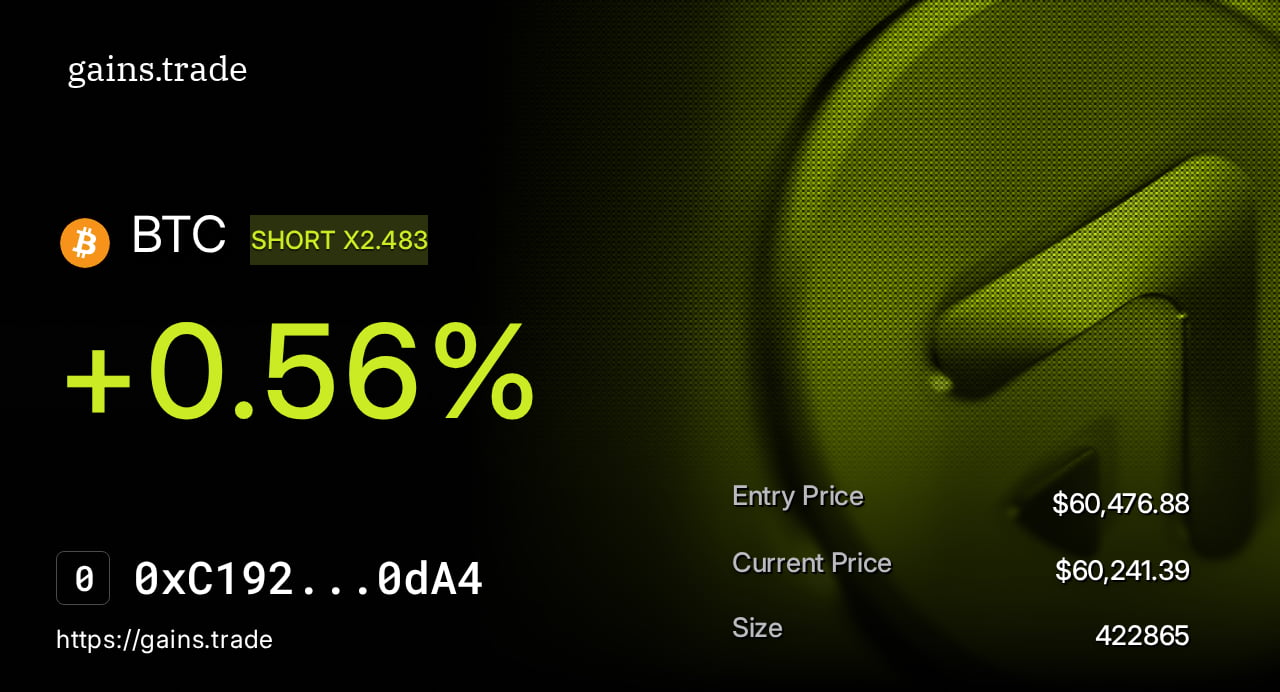
Historical major releases
Built to scale
New innovations and returning classics
Enhanced spread formula and competitive liquidations
Buyback and distribute tokenomics
Trade management improvements
Diamond refactor and smart contract integration
gETH, gUSDC, and multi-collateral deposits
Price impact expiration
Lookbacks, guaranteed order execution, and borrowing fee updates
gToken Vaults
GNS staking, referrals, and more
In-depth update